For film, VFX & animation teams
Review creative work frame by frame
Draw on any frame, pin notes to the exact frame and review in sync with your team — video, stills, 3D and the cut, in one place.
The reel · 59 seconds
See RotoFrame in action
One minute, recorded in the app: playback, drawing, frame notes, a live sync session, stills, 3D, the timeline, AI generation and present mode.
Chapters
Features
Everything a review needs, in one window
Every note, drawing and edit points back to the exact frame it is about.
01 · Review
Feedback that lands on the exact frame
Frame-accurate playback
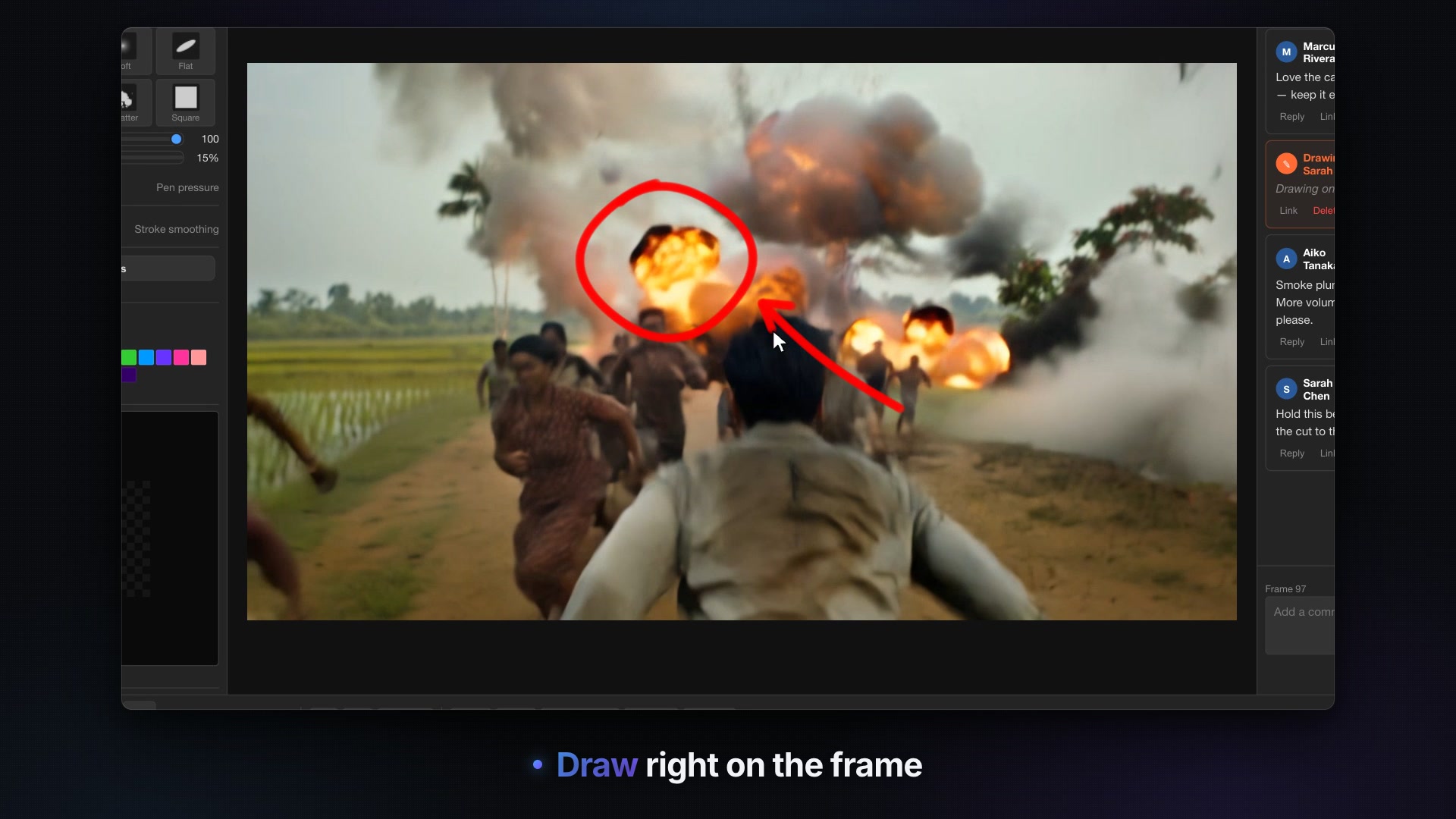
Step a frame at a time, scrub, set In and Out points and loop the range. The frame number stays on screen, and any frame downloads as a PNG with its drawings.
Paint on any frame
Raster brushes (round, soft, flat, chalk, spray and more) with pen pressure and stroke smoothing, plus line, rectangle and ellipse tools. Onion skinning shows up to ten frames either side.
Notes pinned to frames
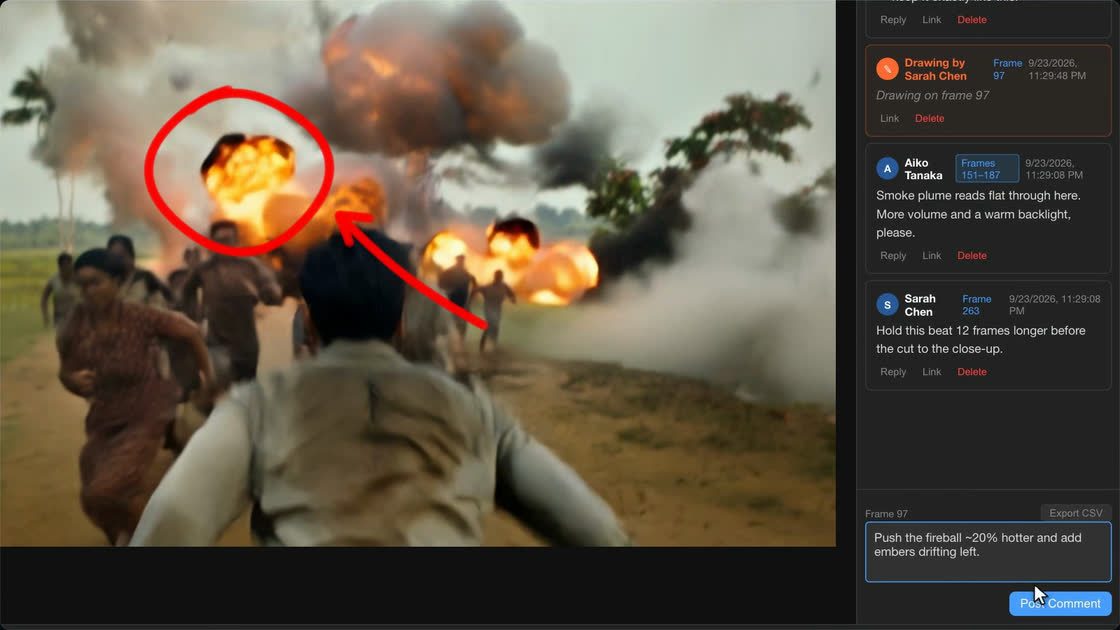
Comment on one frame or a frame range, then click any note to jump straight back to it. Reply, @mention a teammate to email them, copy a link to the frame or export every note to CSV.
Approve or send back
Mark each file Approved, Needs Revision or Rejected so everyone knows where a shot stands.
02 · Review together
Everyone on the same frame, live
Sync sessions
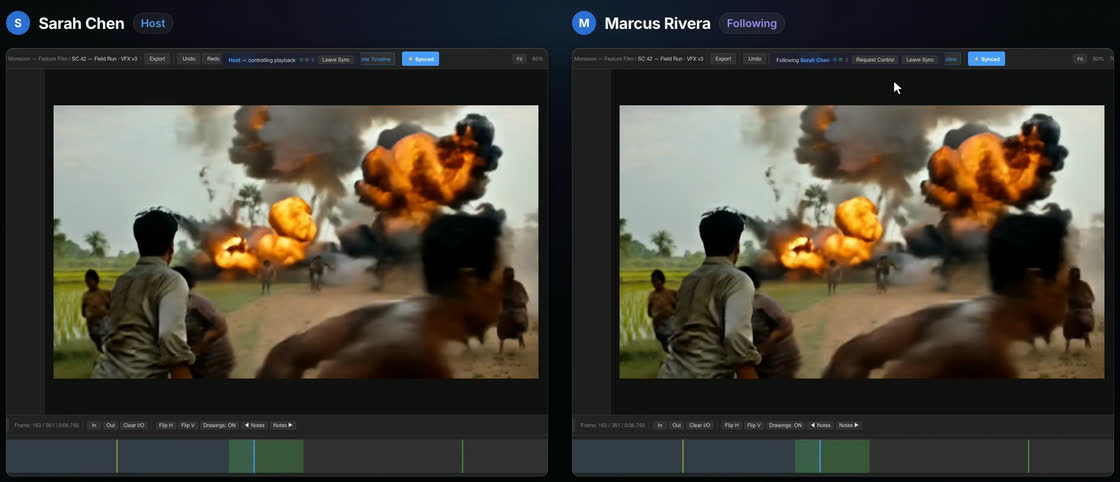
The host drives playback and everyone who joins follows: play, pause, seeks and file switches. Participants can request control, and the host grants or denies it.
Present mode
A clean, full-window view of the frame and its drawings. In a sync session, the room follows the host into it.
Teams and roles
Organise work by company, project and folder. Each company has one Owner; invite teammates by email as Admins, Reviewers or Viewers.
For studios and schools
Single sign-on over SAML 2.0 or OpenID Connect, and LTI 1.3 so students can launch RotoFrame from their learning platform. We set these up with you.
03 · Every format
Video, stills and 3D in the same review
One review, every file
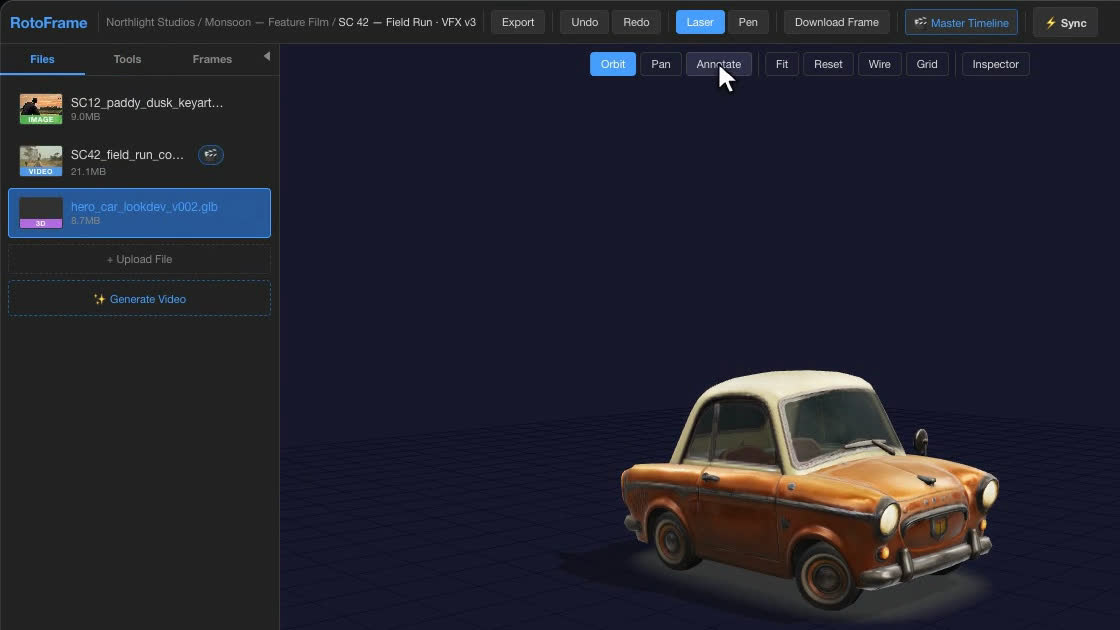
Video, images and 3D models share a review’s file list, so a shot’s comp, key art and look-dev are discussed in one place.
Stills at full resolution
Paint on stills at their native resolution, up to 16 megapixels, with the same brushes, notes and approvals as video.
3D models
Orbit GLB, glTF, FBX and OBJ models, pin notes to the surface and switch to wireframe. In a sync session, everyone sees the host’s camera.
04 · Cut and deliver
From review notes to a finished cut
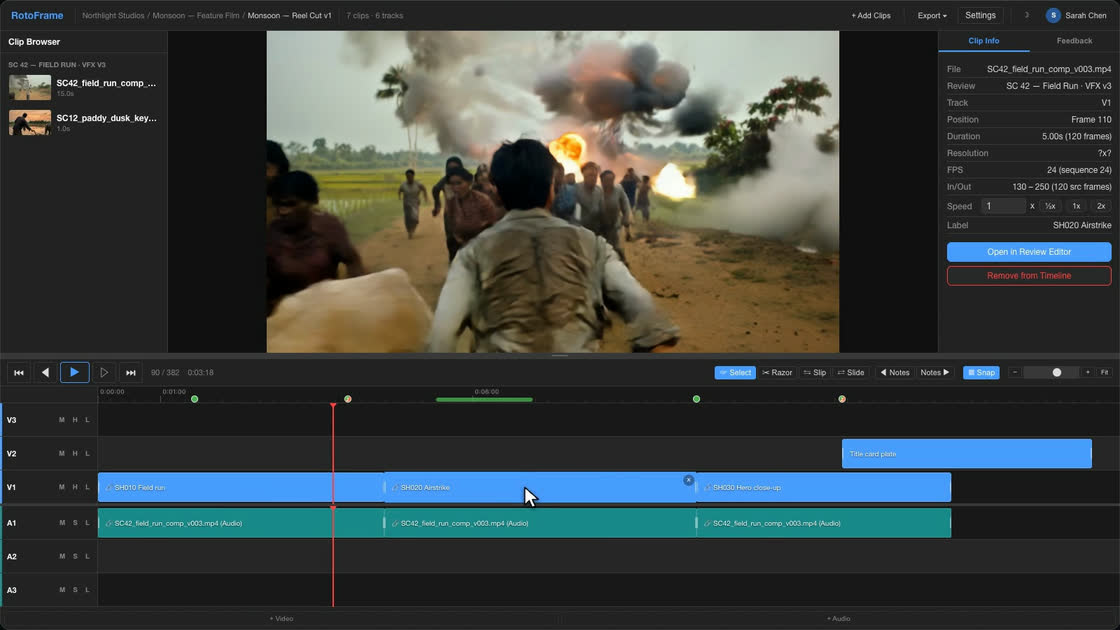
Master timeline
Video, audio and subtitle tracks with razor, slip, slide, ripple and roll edits, dissolves, fades and markers. Every clip keeps its review notes and drawings.
Exports that fit your pipeline
EDL for Premiere, Resolve or Avid; XML for Final Cut Pro or Premiere; CSV clip lists and SRT subtitles; or a rendered MP4 with optional burned-in subtitles.
AI shot generation
Generate shots with Google Veo 3.1 using your own API key, from a prompt, first and last frames or reference images, or fill the frames between In and Out. Local generation with MiniMax H3 on your own GPU workstation is available on request.
Unreal Engine plugin Beta
For Unreal Engine 5.8 on Windows and Mac: render sequences through Movie Render Queue into reviews and a master timeline, see notes and drawings in the viewport, and conform timeline edits back to Sequencer.
How it works
From first upload to final delivery
Upload
Create a project and add shots, stills or 3D models to a review.
Review
Scrub, paint and pin notes to the exact frame, then approve or request revisions.
Sync
Walk the team through it live, or present to the room.
Deliver
Cut on the master timeline and export an EDL, XML, SRT or a rendered MP4.
Review, annotate and ship — together.
Create a free account and run your first review.